




The problem: Some law firms use email “open tracking” to guide collection efforts, but the signal is broken.
Why it matters: “Opens” don’t reliably indicate whether a client saw an invoice. Email security systems, privacy features, and Outlook behavior generate false positives and miss real engagement.
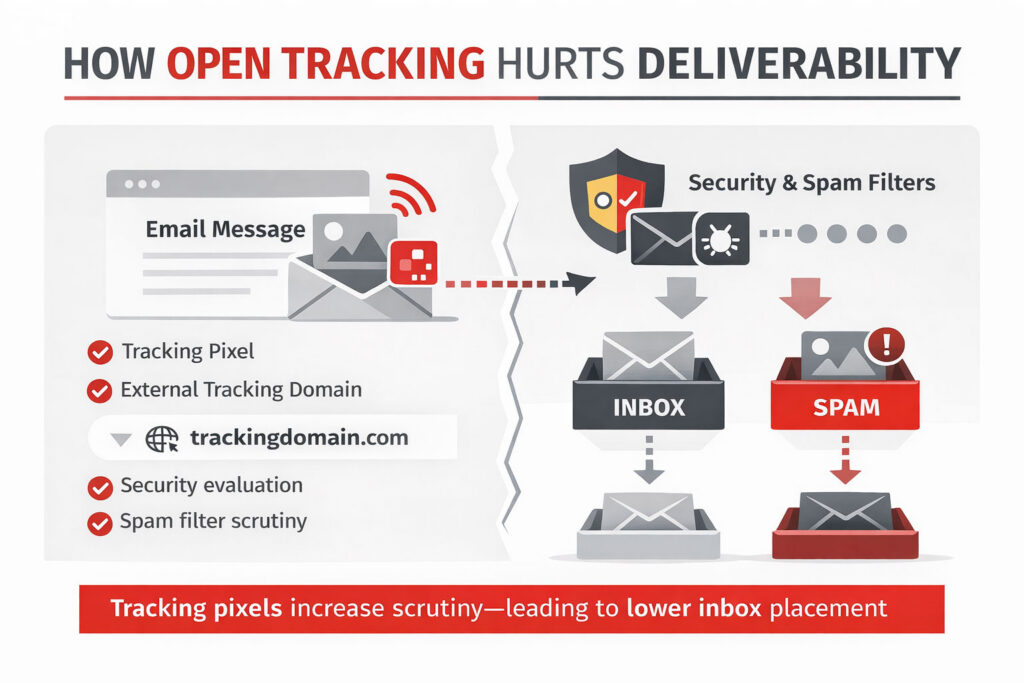
The one-two punch: “Open tracking” isn’t just inaccurate, it can also hurt deliverability. The same tracking pixels used to measure “opens” also trigger spam filters and lower inbox placement, making it harder for clients to find their invoices.
The impact: Collection efforts get misdirected, costing real money and damaging client relationships.
The fix: Stop optimizing for “opens.” Design emails that build trust (like including PDFs) and track what actually matters: clicks and client portal interaction.
Go Deeper
Law firms are under constant pressure to improve collections. It’s understandable that firms look for any signal to prioritize collection efforts.
That’s exactly why email “open tracking” is such an appealing idea.
There’s just one problem: it doesn’t actually tell you what it says it does. Acting on it will systematically misdirect your collections effort in ways that cost real money and damage client relationships.
If you’re relying on it to guide collection efforts at the individual client level, you’re wasting so much effort that you might as well just call everyone.
The False Promise of “Opens”
Open tracking sounds intuitive. If a client opened your email, they saw the invoice. If they didn’t, they didn’t.
But that’s not how it works.
An “open” is not a person reading an email. It’s simply the loading of a tiny, invisible image (a tracking pixel). That image is often triggered by systems, not people.
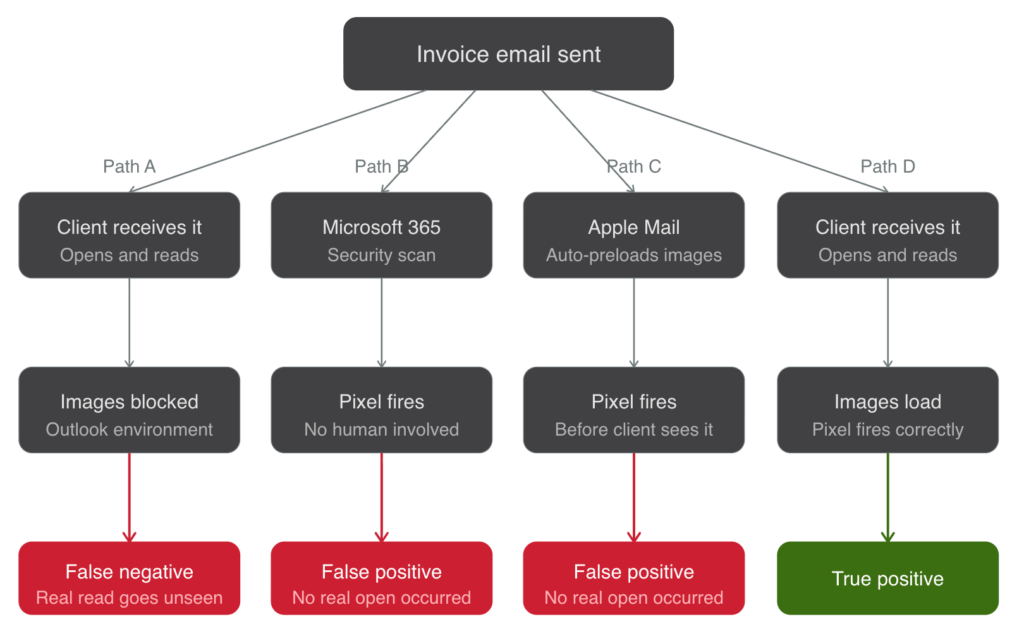
Today’s email infrastructure actively distorts this signal:
- Microsoft 365 and other corporate security layers scan emails before delivery, often triggering false opens of 30-60% [1]
- Image blocking (common in Outlook environments) prevents real opens from being recorded at all [2]
- Apple Mail and Gmail preload images automatically, marking emails as “opened” even if the recipient never sees them [3]
“Open rates are a relic of a bygone era. They’re inflated or deflated, unreliable, and do more harm than good.” [4]
Open rates are a relic of a bygone era. They’re inflated or deflated, unreliable, and do more harm than good.
With “open tracking,” you get the worst of both worlds:
- A client you think opened the email never saw it
- A client reads the email, but doesn’t show as opened
That’s not just noisy data — it’s misleading. You might as well just be flipping a coin.
“Open Tracking” Also Impacts Deliverability
There is another downside: “open tracking” can actually hurt your ability to reach the inbox in the first place. Tracking pixels are signals modern spam filters evaluate closely. The result is subtle but real: lower inbox placement and more emails routed to spam or “Other” folders. [1][2]
In other words, the same mechanism used to measure “opens” quietly reduces the likelihood that your invoice email is ever seen at all.
Why This Matters for Collections
Collections is not a marketing problem of measuring opens across a whole email marketing campaign. It’s a precision problem.
You’re trying to answer very specific questions:
- Did the client actually see the invoice?
- Are they engaging with it?
- Where are they getting stuck?
“Open tracking” answers none of these reliably.
Yet “open tracking” gets used to:
- Trigger follow-ups
- Prioritize outreach
- Infer client intent
That leads to bad decisions:
- Following up aggressively with clients who never saw the email
- Ignoring clients who did engage but weren’t tracked
- Misjudging which communications are actually working
This optimizes a law firm’s collections strategy around a metric that has no consistent relationship to reality.
What Actually Works
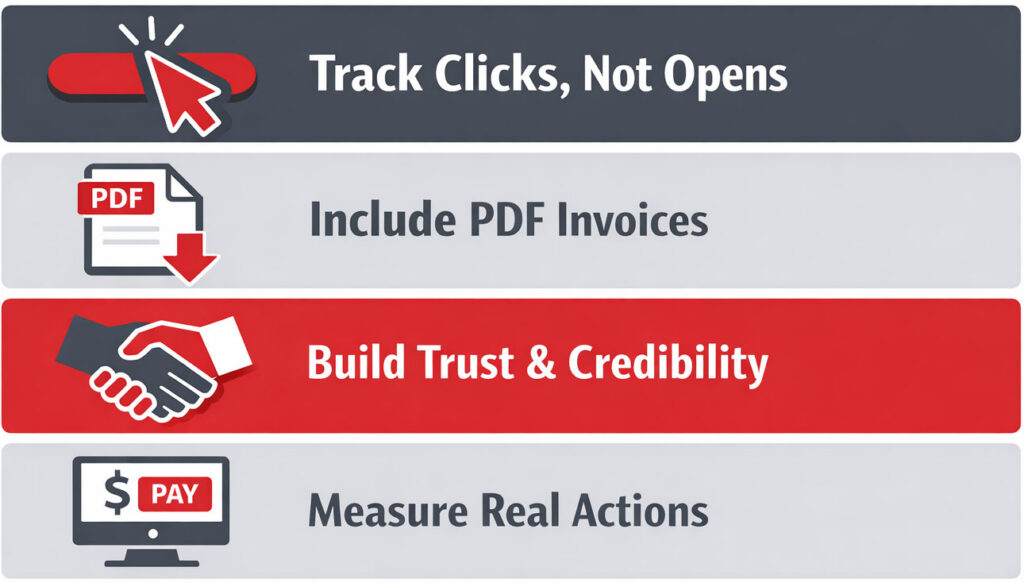
If “open tracking” is broken, what should you use instead? Focus on signals tied to intentional user action, not passive system behavior. The most reliable signal in email is the simplest:
Clicks.
A click requires a human decision. It tells you:
- The recipient saw the email
- The content was credible enough to engage
- They took the next step
The Power of PDFs
One of the most effective ways to increase real engagement, and therefore reliable tracking, is to include a PDF alongside your payment link. This does two important things:
- Builds trust immediately: clients recognize and expect invoices as documents. A PDF feels official, complete, and familiar—far more than a block of text in an email.
- Increases click-through behavior
When clients trust the communication, they are more likely to:
- Click through to view details
- Click through to pay
- Engage with the billing process
And those clicks?
They are measurable. They are attributable. And they reflect actual client behavior.
Dive deeper into why you should include PDFs with your bills and A/R notices.

A Better Model for Collections
Instead of asking, “Did they open the email?”—a question that can’t be answered reliably—shift to:
- Did they click to view or pay?
- Did they download or review the invoice?
- Did they take a next step in the process?
This reframes collections around observable actions, creating effective, prioritized collection efforts.